See how efficiently you really drive.
Photograph your trip screen after a drive, check the kWh and distance, and get a score adjusted for your car and the weather.
Free on iPhone and Android. Sign in with Apple or Google. Your drives stay private unless you choose to share one.

On a computer? Scan this with your phone.
What is EV Drive Sessions?
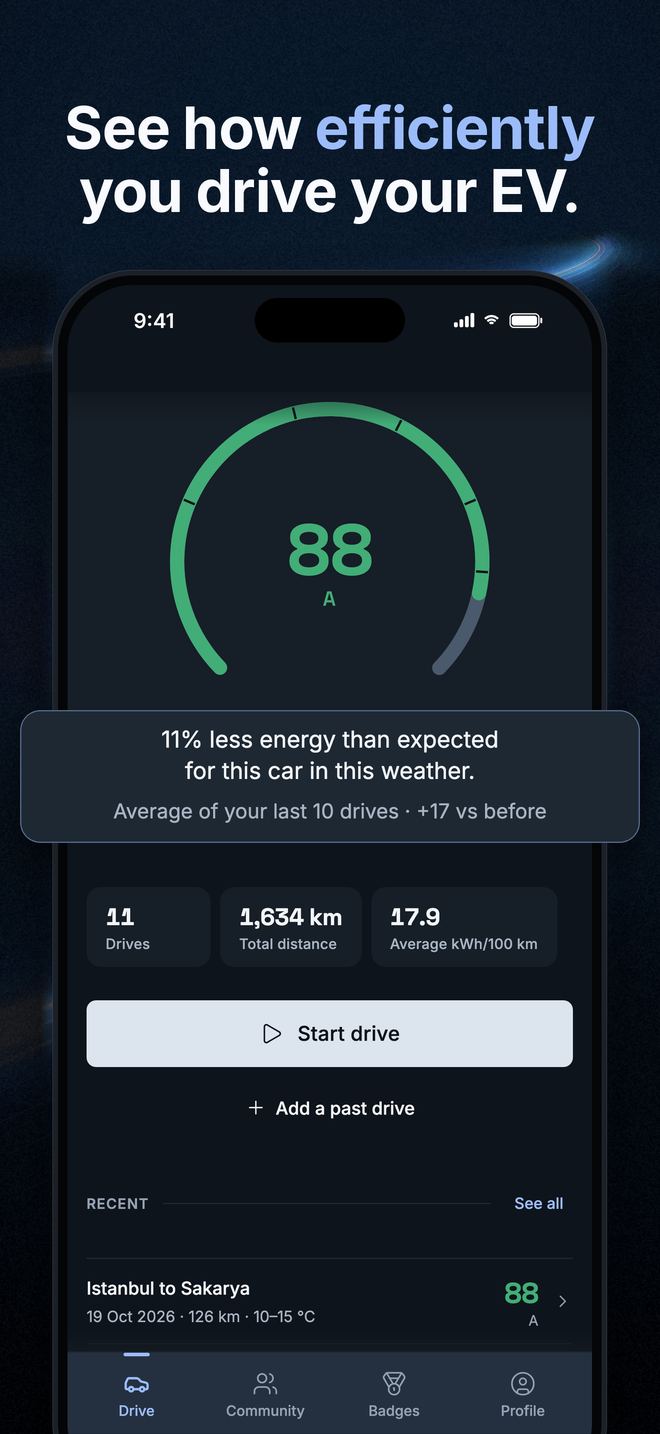
EV Drive Sessions is a trip log for electric cars on iPhone and Android. It scores each drive from 0 to 100 against what that car should use in that weather, on that kind of trip, so the score compares across different EVs and seasons.
Why kWh/100 km alone does not tell you how you drove
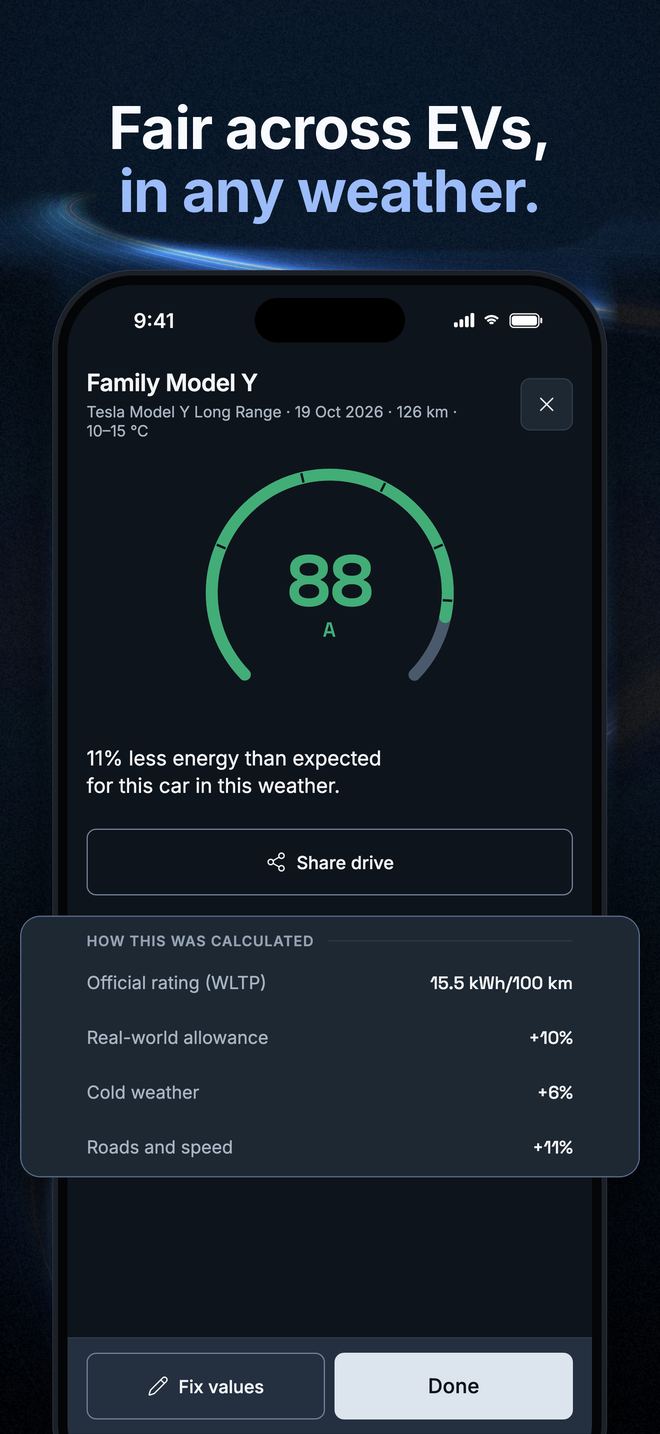
The same driver uses more energy in a heavier car, in the cold, on the motorway or on a short trip. EV Drive Sessions compares each drive with what that model should use in those conditions — its official WLTP figure, the outside temperature, the type of trip and the distance — and turns the difference into a score from 0 to 100. That score means the same thing in a small hatchback and in a large SUV, so drivers of different cars can compare.
How EV Drive Sessions works
- Tap Start drive when you set off, and End drive when you arrive.
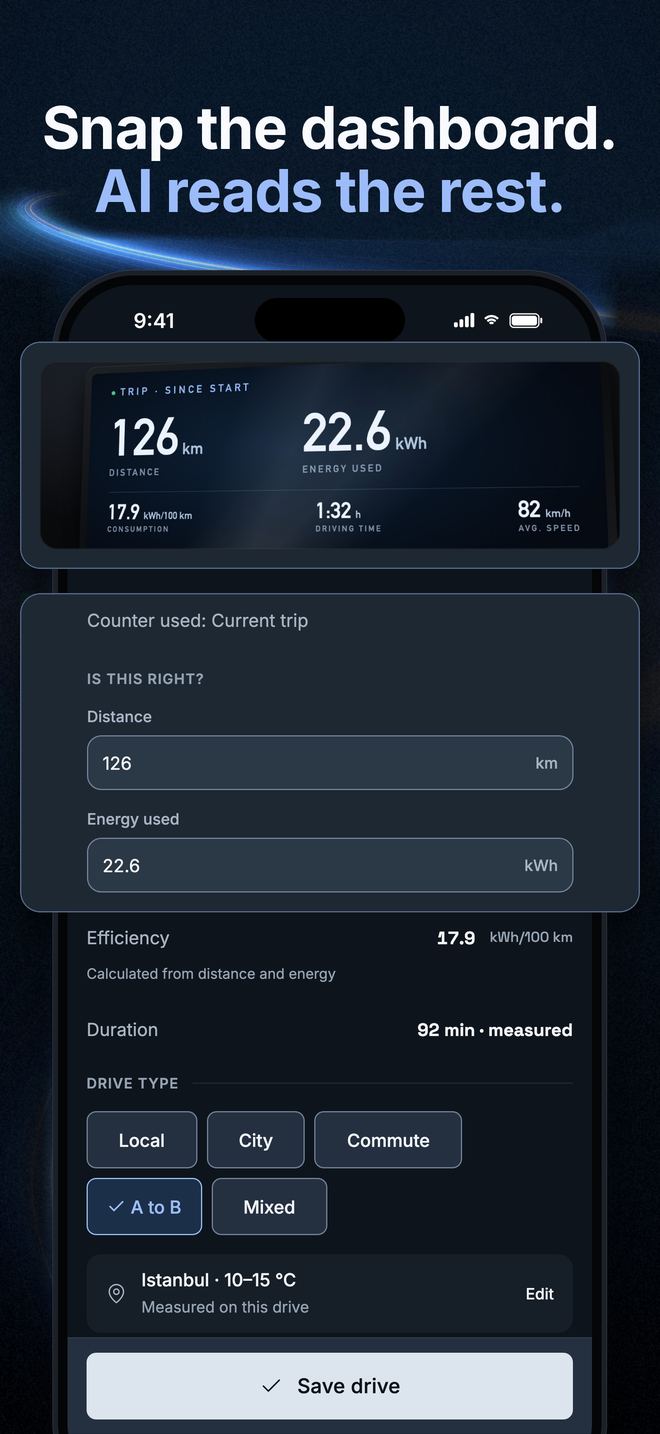
- Photograph your car's trip screen. The app reads the energy and distance for you to check — or you type them in.
- Get your score, and see where it sits among drivers of the same car, once enough of them have shared drives.
What EV Drive Sessions gives you
- A score for every drive that accounts for your car, the weather and the trip.
- A leaderboard and same-model averages, built from drives their owners chose to share. An average appears once at least 3 shared drives from at least 2 drivers exist. Until then a row may read “Estimated average”: an estimate, not a driver.
- Badges and monthly challenges.
- The whole app in English, French, German, Spanish and Turkish.
What happens to your data
Trip screen photos are private to your account. Sharing is a choice you make per drive, and a shared drive carries no photo, no email address and no exact location — only an approximate area. You can export your data or delete your account from the Profile tab at any time.
Read the Privacy Policy, get Support, or see how to delete your account. The rules for using the app: Terms of Use.
Questions drivers ask
Which electric cars does EV Drive Sessions support?
EV Drive Sessions has more than 200 EV models across 56 makes in its catalog, including Togg T10X and T10F and BYD Sealion 7. A car that is not listed can still be logged, but its drives count as low confidence and stay out of public comparisons.
How does EV Drive Sessions calculate the score?
EV Drive Sessions starts from the car's official WLTP figure and adds allowances for real-world use, outside temperature, trip type and distance. A drive that uses exactly the expected energy scores 70. Using 11% less than expected scores 88.
Does EV Drive Sessions need an adapter or a connection to my car?
No. EV Drive Sessions needs no adapter and no car account. It works with your phone and a photo of the trip screen, and you can also type the values in. Photo reading is done by OpenAI, is asked first and can be switched off in Profile.
Does EV Drive Sessions log charging sessions?
No. EV Drive Sessions scores drives and does not log charging sessions or costs. It can read a trip screen's since-last-charge counter, and it asks which counter belongs to the drive.
Are the other drivers on the leaderboard real?
Rows with a driver's name come from drives people chose to share. While there are not enough shared drives for a car and city, EV Drive Sessions may show a row labelled “Estimated average”, which is an estimate and not a person.
Is EV Drive Sessions free, and do I need an account?
EV Drive Sessions is free to download on the App Store and Google Play. You sign in with Apple or Google because your drives, cars and scores are saved to your account. You can export your data or delete the account in the app.